


Satisfying Toys : Calm Games
4.6149.00 Reviews
App Specs
- Version
- 0.11.1
- Updated On
- License
- Free
- Downloads
- 10,000,000+
- Developer
- Koko Zone
- Categories
- Casual
- Platform
- Android
Screenshots




 Analysis by AppCompare
I like the idea behind Satisfying Toys : Calm Games: a casual game built for brief, low-pressure moments rather than a long campaign or a competitive challenge. That difference matters. When I want to settle my attention for a few minutes, I don’t always want to learn rules, chase a score, or keep track of progress. This is the sort of game I’d open for a small, tactile-feeling distraction, then put away when I’m ready to return to whatever I was doing.
It is free to download, so trying it does not require an upfront purchase. There are in-app purchases priced from $0.99 to $9.99 per item, which is worth keeping in mind if you prefer to avoid spending inside games. I would treat the free access as a chance to decide whether the activities suit you; I wouldn’t assume that paying is necessary to enjoy a short session, or that an optional purchase will transform the experience. Its value depends on whether the available play feels calming enough to return to.
A small pause, not a cure for stress
I see this as a light way to redirect my attention, not a replacement for rest, a walk, or support when stress is more serious. That’s an important distinction for an app built around soothing play. A few minutes spent tapping and watching can make a break feel more deliberate, but I wouldn’t expect a mobile game to solve the cause of a difficult day. The appeal is modest and practical: a simple activity to occupy my hands and eyes while I take a breather.
For example, if I’m waiting for a meeting to begin and have only a little time, I’d choose one activity, play until the meeting starts, and close the app without trying to turn the break into a longer session. That makes it easier to use as a pause rather than another thing to keep up with. If I’m already tired of looking at screens, though, stepping away from the phone is probably the better choice.
Who is likely to enjoy it
The strongest fit is someone who likes casual, unhurried interactions and enjoys simple visual or tactile-style play. It may also suit a parent looking for an age-appropriate game to explore with a child: the content rating is Everyone, though I’d still check the device and in-app purchase settings before handing it over. The game is by Koko Zone, and its broad reach is reflected in more than 10 million installs and a 4.7 average from around 19,000 ratings. Those figures suggest that the concept has found an audience, but they can’t tell me whether its particular activities will match your taste.
If you want deep progression, a demanding puzzle, a competitive leaderboard, or a story that gives you a reason to return each day, I’d look elsewhere. This is a casual diversion, not a game I’d choose for challenge or long-term goals. It is also not the right answer for every kind of relaxation: some people find repeated tapping soothing, while others find it monotonous. A few minutes with it should tell you which camp you’re in.
First Impressions and Interface
Upon opening Satisfying Toys : Calm Games, the first thing that caught my eye was the sleek, minimalist design. The app doesn’t bombard you with flashy graphics or unnecessary clutter. Instead, it offers a clean and intuitive interface that’s super easy to navigate, which is a big plus when you’re trying to relax rather than figure out how to use an app.
Worth Reading Before You Choose

Baby Panda World Brings Quick Play to Modern Phones, but Its Game Library Feels Busy

ESPN’s Live Game View Makes Following Close Games Easier

QuizzLand Review: A Good Fit for Short Trivia Breaks, Not Every Player

Basketball Stars: Multiplayer Is Fast, but Can It Recover When Matches Go Wrong?

WEBTOON Turns Phone Updates Into a Better Reading Routine

Link to Windows Runs on Shared Habits, Not Social Feeds
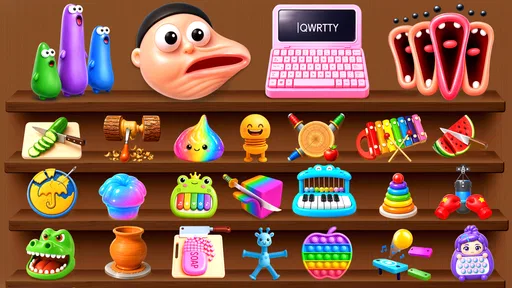
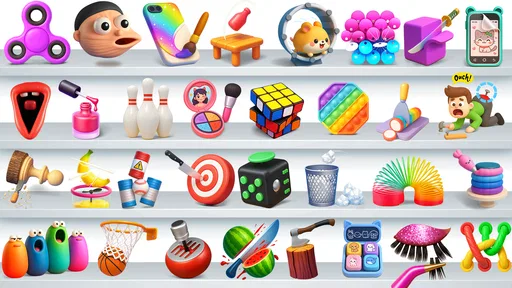
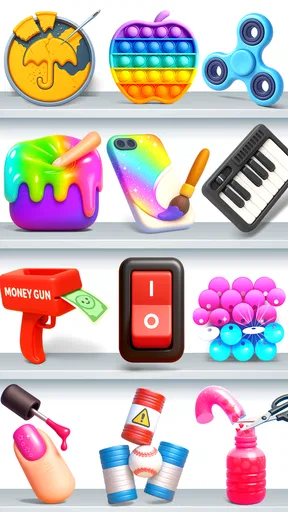
As I scrolled through the menu, I found a variety of calming games and activities. Each option is represented by a simple icon, making it easy to jump into whatever you’re in the mood for at the moment. Whether it’s squishing virtual slime or watching an endless loop of sand falling, there’s something oddly satisfying about each choice.
The Games and Activities
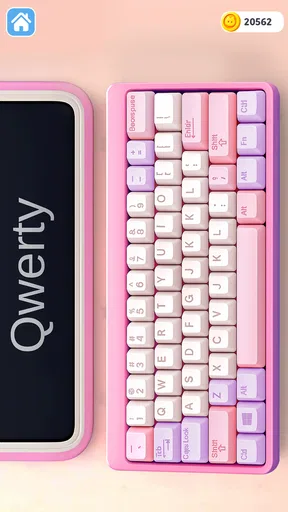
Now, let’s talk about the games themselves. The app offers a mix of interactive and passive experiences. For when you feel like doing something with your hands, you can dive into activities like bubble popping or virtual clay molding. These are perfect for those days when you need to focus your mind and let go of stress.
On the other hand, if you just want to sit back and watch something soothing, the app has options like kinetic sand simulations and mesmerizing color patterns. I found myself getting lost in these visual treats more than once. It’s amazing how a few minutes of watching sand flow can make worries melt away.
Ease of Use
I’ve got to give kudos to the developers for making an app that’s so straightforward to use. You don’t need a tutorial to start playing around with the different tools and toys. Everything is pretty much self-explanatory, and that’s exactly what you want when your goal is to chill out.
Switching between activities is seamless, and I didn’t encounter any lag or crashes, which is always a concern with mobile apps. Plus, the sound effects are spot on—subtle and soothing, adding to the overall calming experience without being intrusive.
Making a short session work
One useful way to approach the activities is to match the kind of interaction to the break you actually have. If I need to keep my hands occupied, I’d choose one of the interactive toys and focus on the movement rather than trying to rush through it. If I’m mentally drained and don’t want to make choices, a passive visual activity is the easier option. That small distinction can make the game feel more like a deliberate reset than a menu of distractions.
I’d also keep the sound at a comfortable level and use the visuals on their own when I’m somewhere quiet or sharing a room. The soothing audio can add to the mood, but sound is personal: a soft effect that relaxes one person may irritate another. If a particular activity starts to feel repetitive, switching once is reasonable; endlessly browsing for the “perfect” one can turn a calming break into more screen time than intended.
Customization and Personalization
One of the features I really appreciated was the ability to customize certain aspects of the games. For example, you can choose different colors for your slime or adjust the speed of falling sand. These small touches allow you to tailor the experience to your preferences, making it even more personal and enjoyable.
The app also lets you save your favorite activities for quick access, which is a nice touch for those times when you want to dive right into your go-to stress reliever.
How it compares with other ways to unwind
Compared with a conventional puzzle game, this offers less mental structure: there’s no need to solve a sequence or prove skill, which is useful when I want low stakes. Compared with a meditation app, it gives me something visible and interactive to focus on rather than asking me to follow a guided practice. And compared with a general collection of mini-games, its appeal is specifically the soothing, toy-like feel. That makes it a more focused pick for casual decompression, but a weaker choice if I want variety built around goals, competition, or learning.
There is a trade-off in that simplicity. The same easy entry that makes it convenient can also make some activities wear thin if I’m looking for a fresh challenge. I’d think of it as a small collection to dip into, not as a substitute for a deep game or a complete wellness routine. If your preferred way to relax is listening to music, reading, or being away from your phone, those options may give you more than another on-screen activity.
Practical details before you install
The game is free, and its in-app items range from $0.99 to $9.99. I’d check the purchase controls on a shared device, especially if a child will be playing, and decide in advance whether you want to allow spending. The Everyone age rating makes the content broadly suitable, but it doesn’t remove the need for a grown-up to manage purchases. On Android, the listed minimum operating system is version 7.0; the current version is 0.8.1, so compatibility is worth checking against your device before downloading.
It was released on August 29, 2025, and has 120 written reviews alongside its rating activity. I wouldn’t use a review count as a guarantee of a particular experience; it’s more useful to treat the game as a low-cost-to-try option and judge the controls, sounds, and activities for yourself. The simple practical question is whether you enjoy the first few minutes enough to want another short session.
Final Thoughts
After spending some quality time with Satisfying Toys : Calm Games, I can confidently say it’s a solid choice for anyone looking to inject a bit of calm into their daily routine. It’s not just about mindless distraction; it’s about engaging with something that’s genuinely relaxing and satisfying.
Whether you have a few minutes during a break or need a longer escape at the end of a tough day, this app offers a variety of ways to find your zen. It’s simple, effective, and just plain fun. So, next time you’re feeling a little overwhelmed, why not give it a try? You might just find it’s exactly what you need to reset and recharge.
My recommendation is to try it when you have a short, low-pressure break and see whether the interactive toys or the quieter visuals suit you better. If you enjoy that kind of simple sensory play, the free entry makes the experiment easy; if you want depth, measurable progress, or a screen-free reset, I’d skip it and choose something that better matches that need. For me, its value is in being approachable and easy to dip into, not in promising more than a casual game can deliver.
Pros
- Variety of soothing activities available.
- Visually appealing and relaxing interface.
- Easy to navigate for all ages.
- No intrusive ads during gameplay.
- Regular updates with new content.
Cons
- Limited free content without in-app purchases.
- Some activities may feel repetitive.
- Requires internet for full features.
- Occasional lag on older devices.
- No multiplayer or social features.
FAQs for Satisfying Toys : Calm Games
What is Satisfying Toys: Calm Games?
Satisfying Toys: Calm Games is a mobile app designed to provide users with a relaxing and stress-free experience through a variety of interactive and sensory games. It includes features like fidget spinners, bubble wrap, and other tactile experiences that help calm the mind and provide a break from daily stress.
How does Satisfying Toys: Calm Games help reduce stress?
The app offers a collection of interactive games that focus on sensory experiences, such as popping bubble wrap or spinning a fidget spinner. These activities are designed to be soothing and repetitive, helping to distract the mind from stressors and promote a sense of calm and relaxation.
Is Satisfying Toys: Calm Games suitable for all ages?
Yes, Satisfying Toys: Calm Games is designed to be suitable for users of all ages. The simple and intuitive interface makes it accessible for children, while the calming activities can be enjoyed by teenagers and adults looking for a quick mental break. However, parental guidance is recommended for very young children.
Are there in-app purchases in Satisfying Toys: Calm Games?
Yes, while the app is free to download and offers several free features, there are in-app purchases available. These purchases can unlock additional games and features, providing an enhanced experience. Users can choose to enjoy the free version or buy extra content based on their preferences.
Does Satisfying Toys: Calm Games require an internet connection?
No, Satisfying Toys: Calm Games does not require an internet connection to play the basic games. This makes it a great option for users who want to enjoy the app offline. However, an internet connection might be needed for updates or accessing certain features if you make in-app purchases.


